

|
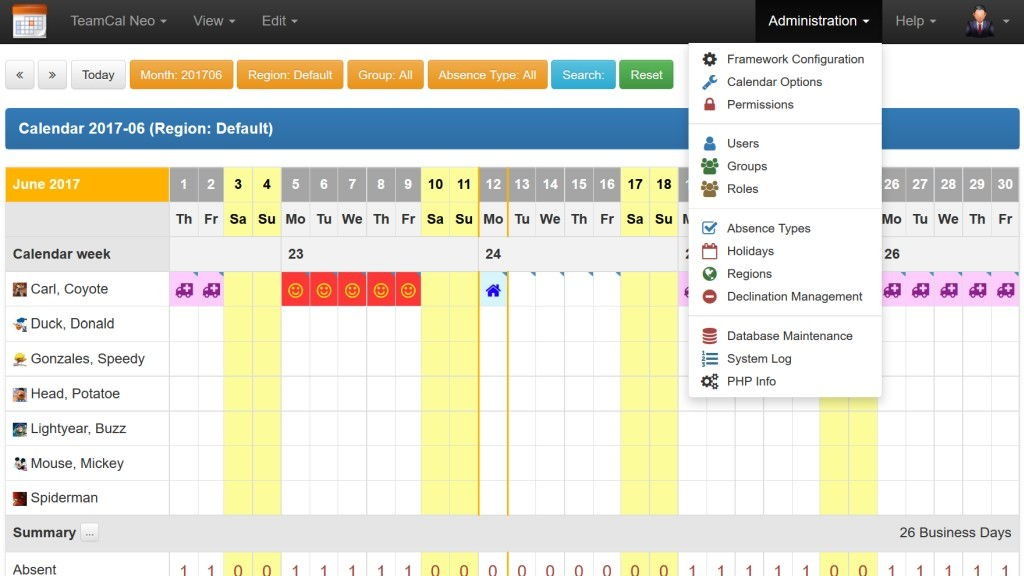
TeamCal Pro 3.3.010 Released |
|
Written by George
|
|
Thursday, 10 May 2012 00:00 |
|

Version 3.3.010 is now available. The new release fixes several bugs and also adds new features.
See the release info here.
The new release is up and running here: Demo. Go ahead and check it out.
Best regards,
George |
|
|
Written by George
|
|
Saturday, 19 November 2011 15:08 |
|
Hello everybody,
I have decided to migrate the meanwhile aged Fireboard forum to a Phpbb forum. It offers more and better features and is surely a step forward.
The migration went fine, except for the user passwords, avatars and attachments. (Believe me, it was struggle enough to get the posts over :-)).
User passwords Your username still exists but your password will probably not work when you try to login. If you can't login to the new forum then please click on the 'Forgot my password' link. This will create a new password for you and will sent it to your e-Mail address.
Avatars Please re-upload your avatar if you want it to be displayed.
Attachments If you can't access any of the attachments referenced in the posts, post it in the topic and I recover the file.
If you experience any problems, let me know via the contact page.
I am confident that you will appreciate the better forum features and security.
Best regards, George
|
|
Sysinternals Toolbox WebDAV |
|
Written by George
|
|
Saturday, 03 September 2011 00:00 |
|
Release 2011.09.03
The new Sysinternals Toolbox release is now directly accessing the utilities from the Sysinternals WebDAV sever on the Internet. All utilities there are always current and maintained by the Sysinternals team.
As many of you, I am using quite a few of the Sysinternals utilities. These utilities are very helpful and useful freeware tools programmed by Mark Russinovich and Bryce Cogswell. Sysinternals was acquired by Mircosoft in July, 2006. The tools aim at Windows file, disk, networking, security and process tasks and are well known to a broad community. Unfortunately none of the tools comes with a setup routine, you need to extract the files yourself and create your icons and start menu entries manually.
I have collected my personal "most useful" selection of those utilities for Windows and created a setup routine so you can conveniently install links to them on your system. This package is now called "Sysinternals Toolbox WebDAV" and can only be obtained here at Lewe.com (Downloads section). There are no Sysinternals Tools included in the package, only links to their WebDAV location are provided. The links are created assuming that you have mapped the drive letter S: to \\live.sysinternals.com\.
Requirement: Drive letter S: mapped to \\live.sysinternals.com\
Cost: Free
Sysinternals Homesite: http://technet.microsoft.com/en-us/sysinternals/
|
|
Read more...
|
|
Free Software at Your Fingertips |
|
Written by George
|
|
Sunday, 11 January 2009 00:00 |
|
It's out there, and it's good. You just need to find it. Here is how easy it is...
I was always interested in free software - you long time visitors of Lewe.com know that already. And I mean "free software" and not only "free downloads". The palette of free software has quite grown over the last years. From Anti-Virus software, Firewalls and System Utilities to complete Office Suites - the variety of free applications for you PC seems endless. And best of all, most of the free tools can easily compete against their expensive brothers and sisters. At Gizmo's TSA (Techsupportalert) an independent group of editors, all PC professionals, search, test and publish reviews of free software for the public. As on of these editors I am proud to say that meanwhile we maintain more than 150 categories of free software, all amazing products in their class. There is a lot of activity going on at TSA on a daily basis (e.g. Find of the Day). New editors have joined, the website is being streamlined in ontent and design and more features will be addedd soon. TSA should be your first Stop when looking for Freeware: http://www.techsupportalert.com |
|
NetIP Windows Sidebar Gadget |
|
Written by George
|
|
Sunday, 04 January 2009 17:40 |
|
I just finished this little but helpful Windows Sidebar Gadget. It will read your local IP address, the IP address of your local IP gateway and will also contact a supporting script on Lewe.com to retrieve your Internet IP address. All three addresses are displayed in this little gadget. Three icons represent the three different addresses.
In the Options dialog you can chose from five different backgrounds and you can also change the font color of each of the addresses. You also have the option to us a custom script for retrieving the Internet IP address. However, you must provide it yourself on a host and also you must have an Internet connection for it to work. If you're not connected to the Internet but to a localLAN, only your local IP address and your IP gateway will be displayed. Click on "Read more..." below to see a screenshot of the Options dialog. Download the Gadget file in the Downloads section. |
|
Read more...
|
|
Written by George
|
|
Friday, 18 January 2008 12:41 |
|
I had the idea of an online version of Measure for quite a while now. I can finally present now the first release of my conversion tool right here on Lewe.com.
I hope that the simple and friendly design finds your liking. Also you can switch between English and German. Most of the unit names are linked to a corresponding page at Wikipedia where you may read more details about it. Enjoy webMeasure: http://www.lewe.com/measure |
|
|