Bootstrap Visuals

Lewe Bootstrap Visuals adds Bootstrap 5.3 visual components to WordPress through shortcodes and a Gutenberg block. It is a styling plugin that does not load Bootstrap's JavaScript, Popper or jQuery.
What is Bootstrap Visuals
Lewe Bootstrap Visuals brings the most popular Bootstrap 5.3 visual elements to WordPress. The components use the official Bootstrap markup and a curated Bootstrap CSS subset, so they look familiar while staying independent of your theme.
The entire stylesheet is compiled with the bsv- prefix. It does not collide with themes or other plugins that ship their own Bootstrap build.
A styling plugin, not a framework
The plugin ships a small vanilla JavaScript bundle for the interactive components: modal, collapse, accordion, alert dismissal, tooltip and popover. It does not load Bootstrap's JavaScript, Popper or jQuery.
Version 4.0.0 requires WordPress 6.7+ and PHP 8.2+. A current evergreen browser is recommended for the interactive components.
Shortcodes and blocks
All 25 components are available as shortcodes. The same components are exposed through the Bootstrap Visuals block in the block editor, with a curated attribute subset; the shortcode attribute set remains complete. Shortcodes can be nested where a component accepts content, for example buttons inside a button group or accordion items inside an accordion.
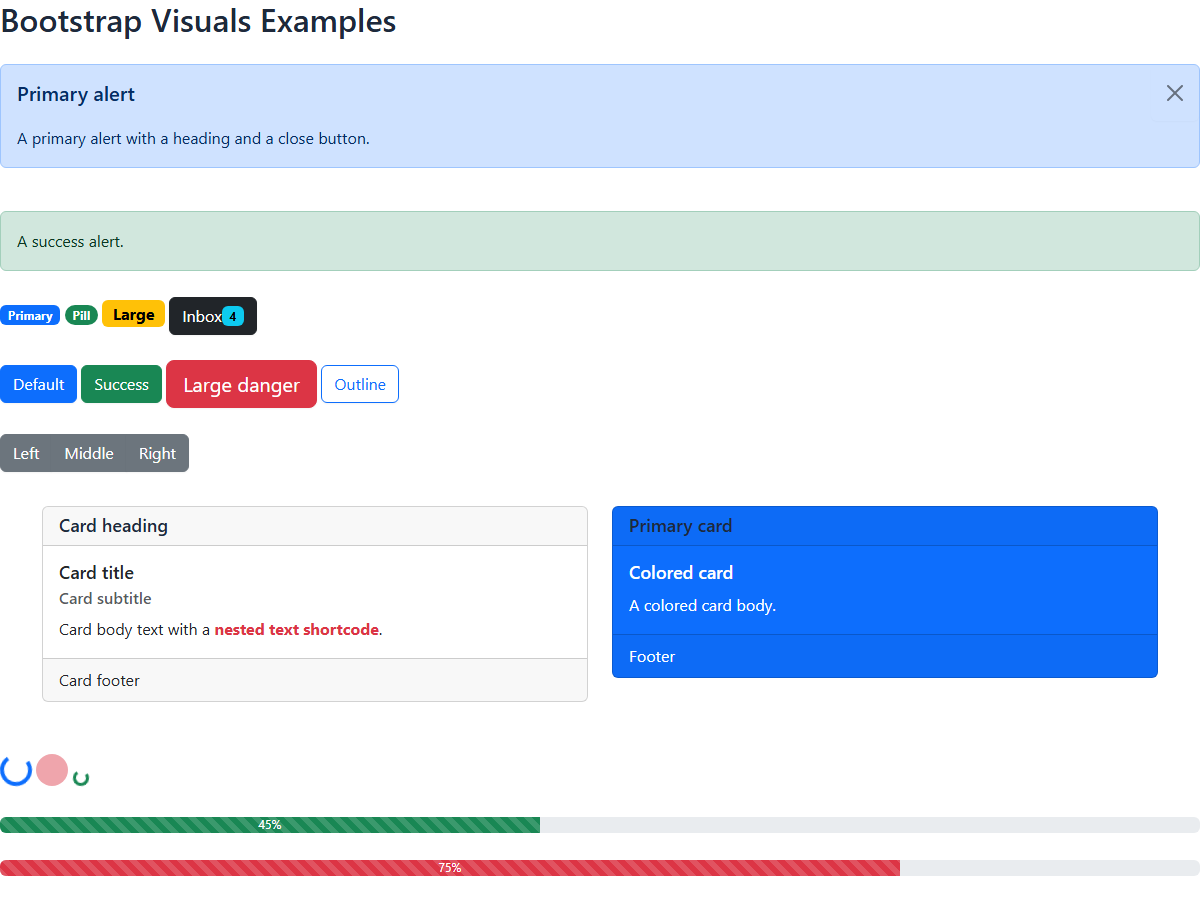
Alerts, badges, buttons, cards, spinners and progress bars rendered by the plugin.
Color styles
Most components accept a style attribute with one of the eight Bootstrap 5.3 color styles: primary, secondary, success, danger, warning, info, light and dark.
Components that support custom colors (bsv-button and bsv-badge) accept custom_text_color and custom_bg_color with three- or six-digit hex values or rgb() values.

Badges and buttons in the eight Bootstrap 5.3 color styles.
All 25 shortcodes
Every component is available as a shortcode. Every emitted class uses the bsv- prefix, boolean attributes use yes and no, and shortcode content is escaped with wp_kses_post; raw HTML is not supported in shortcode content.
Layout
[bsv-container]Container[bsv-row]Row[bsv-column]Column
Content
[bsv-alert]Alert[bsv-badge]Badge[bsv-blockquote]Blockquote[bsv-card]Card[bsv-code]Code[bsv-highlight]Highlight[bsv-lead]Lead[bsv-list]List[bsv-panel]Panel[bsv-table]Table[bsv-table-wrap]Table wrap[bsv-text]Text
Interactive
[bsv-accordion]Accordion[bsv-accordion-item]Accordion item[bsv-button]Button[bsv-button-group]Button group[bsv-collapse]Collapse[bsv-modal]Modal[bsv-popover]Popover[bsv-progress]Progress bar[bsv-spinner]Spinner[bsv-tooltip]Tooltip
Width and height values accept px, %, em and rem. See the user manual for the complete attribute reference.
Requirements
- WordPress 6.7 or newer
- PHP 8.2 or newer
- A current evergreen browser for the interactive components
Backend installation
- Go to Plugins → Add New in WordPress.
- Search for Lewe Bootstrap Visuals.
- Click Install Now, then Activate.
Manual installation
- Download the plugin ZIP from the WordPress listing or from your release package.
- Go to Plugins → Add New → Upload Plugin and select the ZIP.
- Click Install Now, then Activate.
If you upload the ZIP over an existing 3.0.1 installation, WordPress offers Replace current with uploaded when the installed plugin folder is shortcode-bootstrap-visuals. Existing pages do not need to be edited.
After activation
The plugin has no settings. Open Settings → Bootstrap Visuals for the version, shortcode summary, documentation and support links.
Upgrading from 3.x preserves all shortcode tags and attributes; no content migration is required. The old lewe_bsv_options row is removed automatically on the first admin request after the upgrade. [bsv-callout] and [bsv-jumbo] are removed; use [bsv-alert] and [bsv-card] instead.